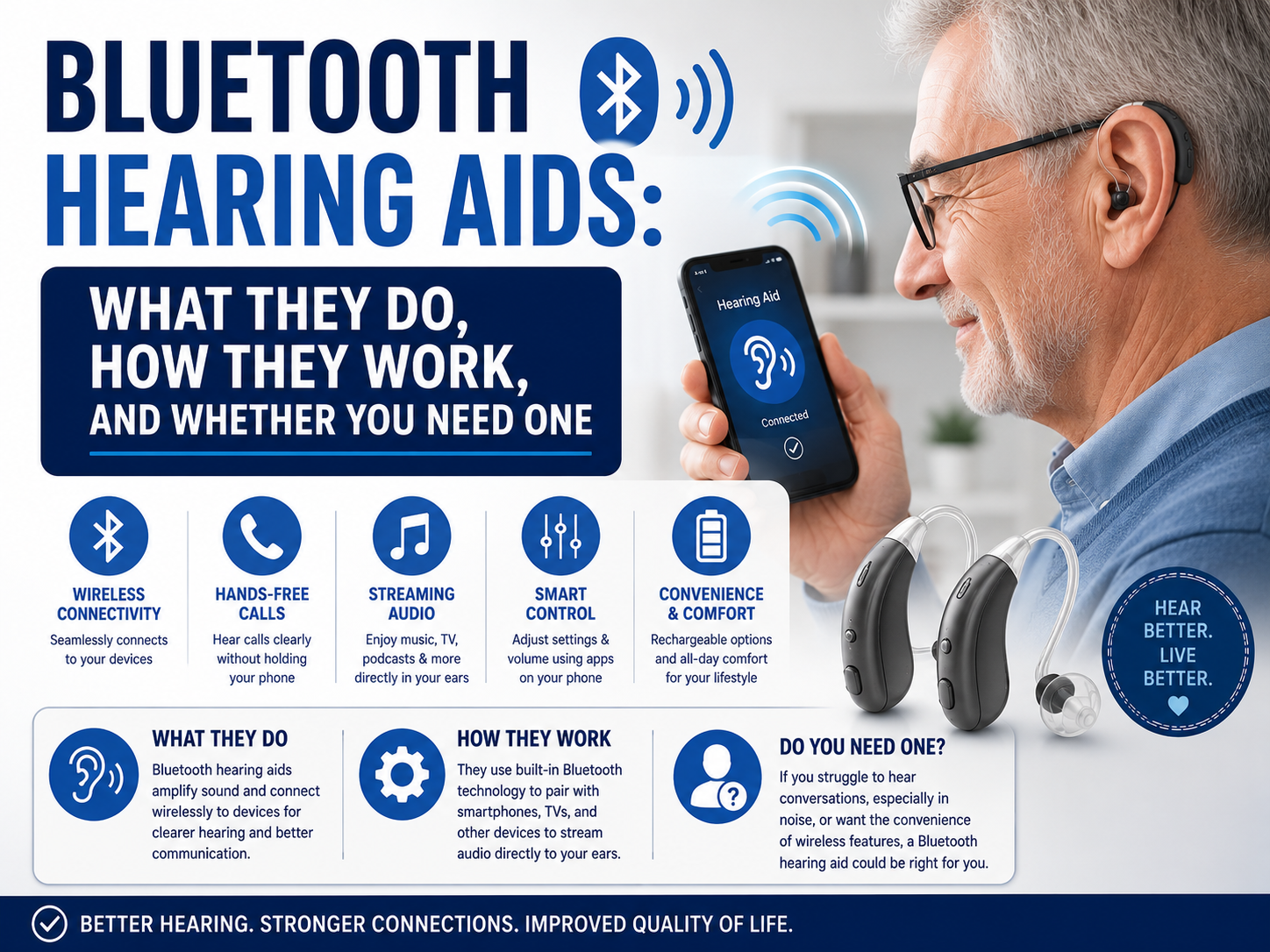
The single biggest reason people buy Bluetooth hearing aids in 2026 isn't just amplification—it's the ability to stream audio directly into the ears. Instead of muffled speakerphone calls or straining to hear the TV, sound travels wirelessly from your phone, tablet, or television straight to the hearing aids. But the setup process differs sharply depending on whether you use an iPhone or an Android device, and the underlying wireless standards have changed rapidly over the last two years. This guide is a practical, step-by-step walkthrough of getting connected, routing calls and media, and fixing the dropouts that frustrate new users.
How Bluetooth streaming actually reaches your ears
Hearing aids are tiny and battery-constrained, so they don't use the same classic Bluetooth profile as wireless headphones. Instead they rely on low-energy protocols designed for hearing devices. Understanding which one your phone and aids use tells you exactly what will and won't work:
- MFi (Made for iPhone): Apple's long-standing hearing-aid protocol, built on Bluetooth Low Energy. It powers the "Hearing Devices" feature on iPhone and iPad and allows direct streaming and control from iOS.
- ASHA (Audio Streaming for Hearing Aids): Google's equivalent for Android, introduced to give Android phones direct low-energy streaming to compatible hearing aids.
- Bluetooth LE Audio & Auracast: The newer universal standard rolling out across 2024–2026. LE Audio replaces the older profiles with a single, more efficient system, and Auracast adds broadcast audio—letting venues, TVs, and public spaces transmit sound that any compatible hearing aid can tune into, like a radio station.
The practical takeaway: an older hearing aid may only support MFi or ASHA, while 2025–2026 models increasingly support LE Audio. Always check that your phone's operating system version and your hearing aids both list the same standard before expecting direct streaming.
Pairing to an iPhone or iPad (MFi / Apple Hearing Devices)
Apple builds hearing-aid support directly into iOS rather than relying only on the standard Bluetooth menu. To connect:
- Make sure your hearing aids are charged and near the phone, with any manufacturer app installed if one is recommended.
- Open Settings > Accessibility > Hearing Devices (on newer iOS versions this may appear as Hearing).
- Open and close the hearing aid battery doors, or place rechargeable aids in and out of the case, to put them in pairing mode.
- Tap the name of your hearing aids when they appear, then confirm the pairing request—you may see two requests, one per ear.
Once paired, you can triple-click the side button to open the Accessibility Shortcut for quick access to programs and volume, and you'll find streaming controls in Control Center. Media, FaceTime, and phone calls route automatically to the aids. A key advantage of the Apple route is that adjustments (volume per ear, preset programs, and often a live-listen microphone mode) live in the operating system itself, not just the manufacturer's app.
Pairing to an Android phone (ASHA / LE Audio)
Android's process is more device-dependent because manufacturers customize the settings menus. In general:
- Update your phone to the latest available Android version—streaming support and stability improved significantly across recent releases.
- Put your hearing aids into pairing mode as directed by the manufacturer.
- Go to Settings > Connected devices > Pair new device, or on some phones look for a dedicated Accessibility > Hearing section.
- Select your hearing aids and confirm. If the phone supports LE Audio, you may be prompted to enable it.
If your aids and phone both support Auracast, you'll also be able to scan for and join public broadcast audio—increasingly available at airports, theaters, houses of worship, and gyms—typically through a broadcast or "nearby broadcasts" option in settings or the manufacturer app.
Streaming your TV
Televisions are where many people notice the biggest quality-of-life improvement, but most TVs still don't stream directly to hearing aids. There are three common paths:
- A dedicated TV streamer: a small accessory from your hearing-aid manufacturer that plugs into the TV's optical or analog audio output and transmits directly to the aids. This gives the most reliable, lowest-latency result and lets you set a personal volume without changing the room volume for everyone else.
- Auracast-enabled TVs and transmitters: newer TVs and plug-in Auracast transmitters can broadcast to any compatible LE Audio hearing aid—no brand-specific box required.
- Phone as intermediary: some setups route TV audio through the phone, though this adds complexity and potential lag.
Whichever route you choose, watch for audio delay—if lips and sound fall out of sync, a dedicated low-latency streamer usually solves it better than a general-purpose Bluetooth link.
Phone-call routing and hands-free calling
How your voice is picked up matters as much as how you hear the caller. There are two models:
- Hearing-aid microphones capture your voice (true hands-free): the person you're speaking to is heard in both ears, and your own hearing aids' microphones send your voice back. This is the most convenient, and LE Audio expands how widely it's supported.
- Phone microphone captures your voice: you hear the caller in your aids, but still hold or keep the phone near your mouth to speak. Common with older MFi and ASHA connections.
In your phone's call settings you can usually choose whether calls default to the hearing aids, the phone earpiece, or speaker. Setting a sensible default prevents the awkward scramble when a call comes in.
Manufacturer apps: what they add
Beyond the operating system's built-in controls, most hearing aids pair with a companion app that typically offers: per-environment programs (restaurant, outdoors, music), an equalizer or bass/treble tuning for streamed audio, a "find my hearing aids" locator, remote fine-tuning from your provider, and battery status. If direct OS streaming and the app disagree, the app's settings usually take priority for sound processing, while the OS handles the Bluetooth link itself.
Troubleshooting dropouts and connection problems
Intermittent audio is the most common complaint. Work through these in order:
- Charge first. Low battery is the leading cause of streaming instability—low-energy Bluetooth degrades before the aids fully die.
- Keep the phone on the streaming side. Your body blocks 2.4 GHz signals; a phone in the opposite pocket or across the room causes stutter.
- Update everything. Update the phone OS, the manufacturer app, and—via the app or your provider—the hearing-aid firmware.
- Forget and re-pair. Remove the aids from Bluetooth/Hearing Devices settings, restart the phone, and pair fresh.
- Reduce interference. Crowded Wi-Fi, microwaves, and many simultaneous Bluetooth devices can disrupt the link.
- Check one ear vs. two. If only one aid drops, it may be that ear's battery, fit in the case, or a firmware sync issue between the pair.
If problems persist after these steps, the issue may be a hardware or compatibility limitation rather than a setting—worth raising with your audiologist or the retailer.
Quick compatibility checklist before you buy or set up
- Does the hearing aid list MFi (for iPhone), ASHA (for Android), or LE Audio (both)?
- Does your phone's current OS version support that same standard?
- Do you need true hands-free calling, or is hearing the caller enough?
- Will you want TV streaming—and does that require a separate accessory?
- Is Auracast support important for the venues you visit?
You can browse hearing aids and streaming accessories in our Hearing Aids & Accessories collection to compare what's available.
Related guides
- Bluetooth Hearing Aids 2026: Complete Guide to Wireless Hearing Technology — the big-picture overview.
- Bluetooth Hearing Aid Styles and Fitting: RIC vs BTE vs ITE, Rechargeable vs Battery — choosing the right form factor.
Medical disclaimer: This article is for general informational purposes only and is not medical advice. Hearing loss should be evaluated by a licensed audiologist or hearing healthcare professional, who can recommend and program devices appropriate for your needs. Consult a qualified provider before making decisions about hearing aids or your hearing health.