Home blood pressure monitors all look much the same on a shelf: a small box, a display, a cuff, a list of features on the side of the carton. The differences that actually decide whether your readings are worth anything are mostly invisible from the outside, and the features printed largest on the box are rarely the ones that matter.
This guide walks through how to choose a monitor in the order that matters: cuff first, validation second, features last. It is written for people buying for themselves or for a parent or partner, and it assumes no technical background.
Start with the cuff, not the device
If you take only one thing from this article, take this: a badly fitted cuff will make an expensive monitor useless, and a well-fitted cuff will make a modest one perfectly serviceable.
A cuff that is too small for the arm squeezes harder than intended and tends to read high. A cuff that is too large can read low. Neither error announces itself. The device does not know the cuff is wrong; it simply reports a confident, incorrect number, every single time.
How to measure for a cuff
- Use a soft tape measure, or a piece of string that you then hold against a ruler.
- Measure the bare upper arm at its widest point, roughly midway between the shoulder and the elbow.
- Keep the arm relaxed and hanging by your side. Do not flex.
- Write the number down in both centimetres and inches, because cuff ranges are printed either way.
Then check that measurement against the range printed on the cuff or listed in the product specifications before buying. If you sit near the boundary between two sizes, the larger cuff is generally the safer choice. If your arm falls outside every available range for a device, do not buy that device.
Many monitors are sold with a "wide range" cuff that covers most adults, but some are supplied with a standard cuff and sell the large size separately. Check which you are getting.
Upper arm or wrist?
For most people, an upper-arm monitor is the sensible default, because it measures at the same site your clinic uses and is far more forgiving of small positioning errors. Wrist monitors have real advantages for people whose arm falls outside available cuff ranges, who find arm cuffs painful, who have limited dexterity, or who need something genuinely portable. They simply demand better technique. Our comparison of wrist and upper-arm cuffs goes through the trade-offs in detail.
Look for an independently validated device
"Clinically tested", "accuracy technology" and similar phrases on packaging are marketing language and are not regulated in any meaningful way. What you actually want is independent validation: the device has been tested against a reference standard by researchers who did not make it, following a recognised protocol.
Several hypertension organisations maintain public lists of monitors that have passed independent validation. Your pharmacist can usually tell you whether a particular model appears on one, and it is a fair question to ask before buying. If a retailer or manufacturer cannot say whether a device has been independently validated, treat that as a meaningful gap rather than a detail.
Validation applies to a specific model with a specific cuff. A device that shares a family name with a validated model is not automatically validated itself.
Features that genuinely help
- Automatic averaging. The monitor takes two or three readings in succession and reports the mean. This removes the temptation to keep measuring until you get a number you like, and averages are what your clinician wants anyway.
- Memory that stores dated readings. Far more useful than a single last-reading display, especially if writing things down is difficult.
- Two-user memory. Essential if a couple share one device, and worth having even if only one of you currently needs it.
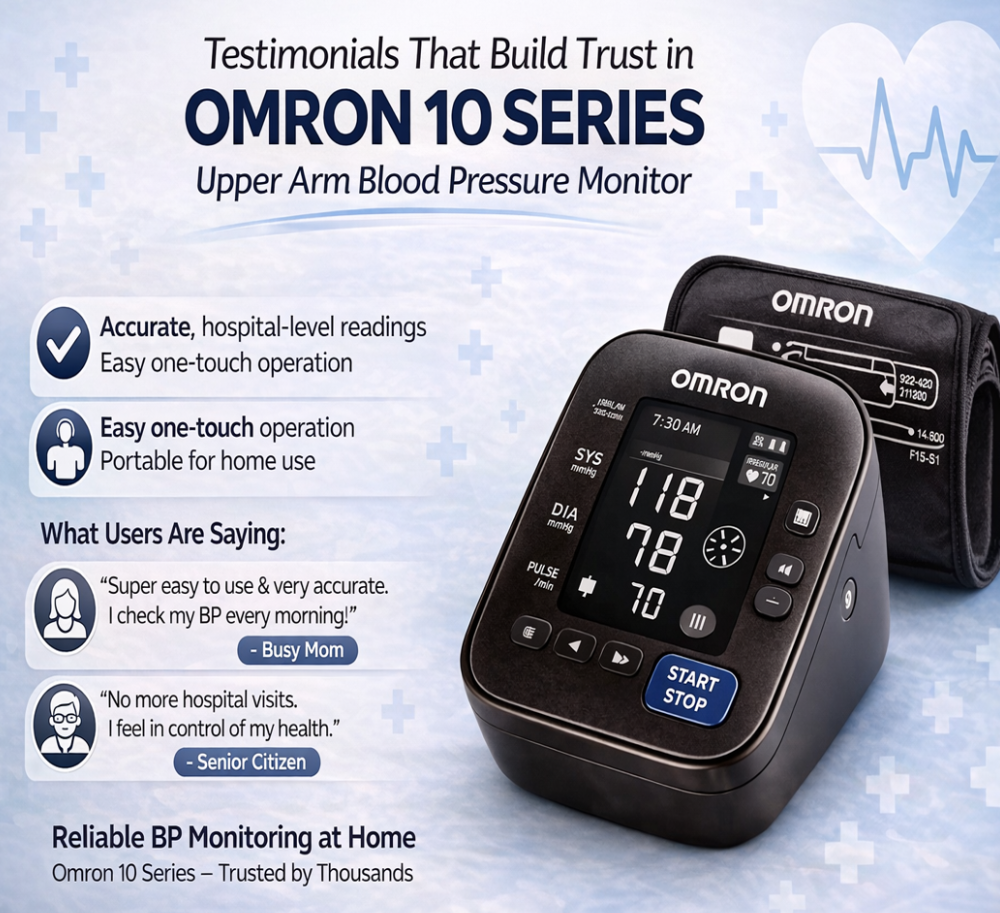
- A large, high-contrast display. Underrated. If the numbers are hard to read, they get misread or skipped.
- An irregular heartbeat indicator. Useful as a prompt, with an important caveat below.
- Mains adapter option. Saves a steady stream of batteries if you measure twice a day.
- One-piece cuff design. Cuffs that pre-form into a loop are considerably easier to put on single-handed.
Features that matter less than the packaging suggests
- App connectivity. Genuinely helpful if you already use your phone comfortably and want to email a chart to your clinician. Of very little value if the app becomes another barrier between you and taking a reading. A paper log works perfectly well.
- Very large memory capacity. Two hundred stored readings sounds impressive, but nobody reviews two hundred numbers. An average does the work.
- Colour-coded indicator lights. A traffic-light bar that flags a reading as high can be reassuring or alarming for the wrong reasons. Your personal target may differ from the generic thresholds programmed into the device.
- Speed of measurement. A few seconds saved is not worth anything if the trade-off is a less comfortable cuff.
A note on irregular heartbeat indicators
This symbol means the device detected an uneven pulse pattern during that measurement. It is not a diagnosis of any specific heart rhythm condition, and it can be triggered by movement or talking. If it appears occasionally and you feel well, note it. If it appears repeatedly, or comes with palpitations, breathlessness, chest discomfort or dizziness, mention it to your clinician rather than to a search engine.
What about manual cuffs and stethoscope kits?
Aneroid kits with a bulb, gauge and stethoscope are still used in clinical settings and by trained carers. They can be excellent, but they require training to use accurately and good hearing, and they are not a sensible first choice for self-measurement at home. If you are buying for a professional or care setting rather than personal use, that is a different decision.
When to replace the cuff rather than the monitor
Cuffs wear out well before the electronics do. Replace the cuff, not the whole unit, when you notice:
- Hook-and-loop fastening that no longer grips and pops open during inflation
- Repeated inflation or leak errors, or a cuff that takes several attempts to reach pressure
- Visible cracking or stiffness in the tubing, or a loose connector
- Fabric that has stretched so the fit is no longer snug at the same setting
- An arm that has changed size enough to move you into a different cuff range
Replacement cuffs are model-specific, so check the fitting and the model number rather than assuming compatibility. You will find cuffs alongside complete units in our blood pressure meters range and in the wider medication management and monitors collection.
Check your new monitor against the clinic
The single best quality check costs nothing. Take your monitor, with its own cuff, to your next appointment. Ask your clinician to measure as usual, then measure yourself with your device on the same arm a minute or two later, while sitting in the same position.
A small difference is expected and fine. A large, consistent difference is worth investigating, and the usual culprits are cuff size, cuff position, or arm position rather than a faulty machine. This check is also a good moment to ask your clinician to watch your technique once.
Looking after the device
- Store it somewhere dry and stable, with the cuff loosely coiled rather than tightly wrapped around the unit.
- Wipe the cuff with a slightly damp cloth. Do not soak it or put it in a washing machine unless the manufacturer says the sleeve is removable and washable.
- Replace all batteries at once, with the same type, and take them out if the device will sit unused for months.
- Keep the manual, or photograph the model number and cuff range so you can order the right replacement later.
- Check the manufacturer's guidance on how often the unit should be checked or replaced. Home monitors do not last forever.
Once you have chosen
Owning a good monitor is only half of it. Technique decides the rest, and the routine is worth getting right from the first week: see our guide to taking accurate blood pressure readings at home. When you have a fortnight of numbers, logging them in a form your care team can actually use is what turns a pile of readings into something clinically useful.
This article is general information and is not medical advice. Your blood pressure target, the type of monitor that suits your circumstances, and any change to your medication should be confirmed with your own doctor, nurse or pharmacist.